It reads your code, payments, traffic and errors, and tells you the one thing to fix, the one thing to say and the one thing to skip today.
Not another inbox assistant. Read-only. Nothing posts without you.
Paste your site address. FoxPlug reads its public pages and tells you the one thing to fix, the one to say and the one to skip. The result shows right here. Free, no account, no card.
Free, no account. See the update FoxPlug writes from your repo.
Free: 1 project, no card needed. Nothing is posted anywhere until you approve it.
This was one update.
Connected to your stack, FoxPlug tells you what to fix, what to say and what to skip, every day you press.
Free · No signup · No card
Read-only. Disconnect anytime. How the brain reads each one
Every tool comes with exact setup steps in Settings.
Start free and connect your tools
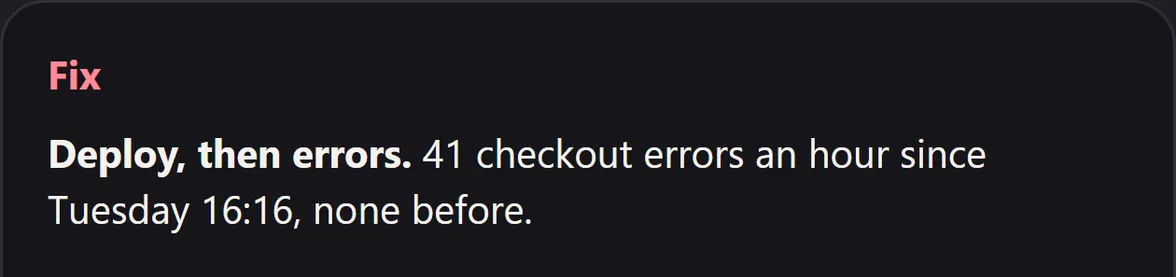
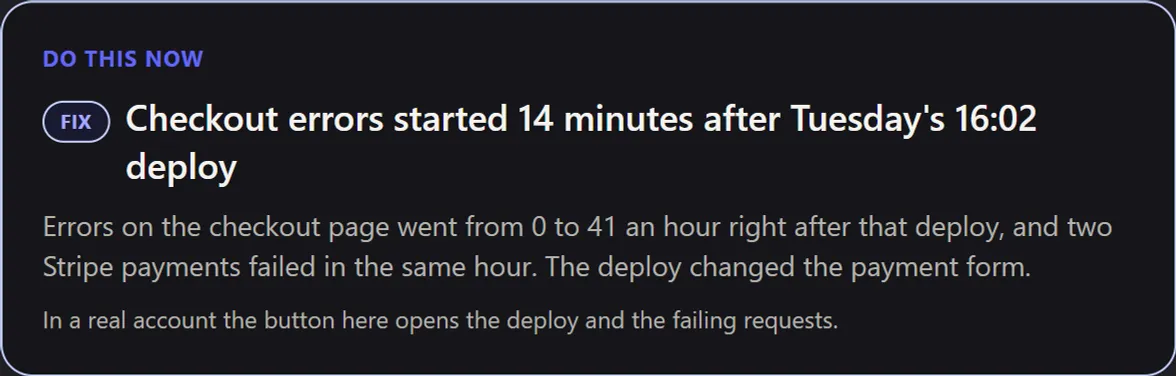
Errors jumped after Tuesday’s deploy
Saves you: an evening of digging in Sentry
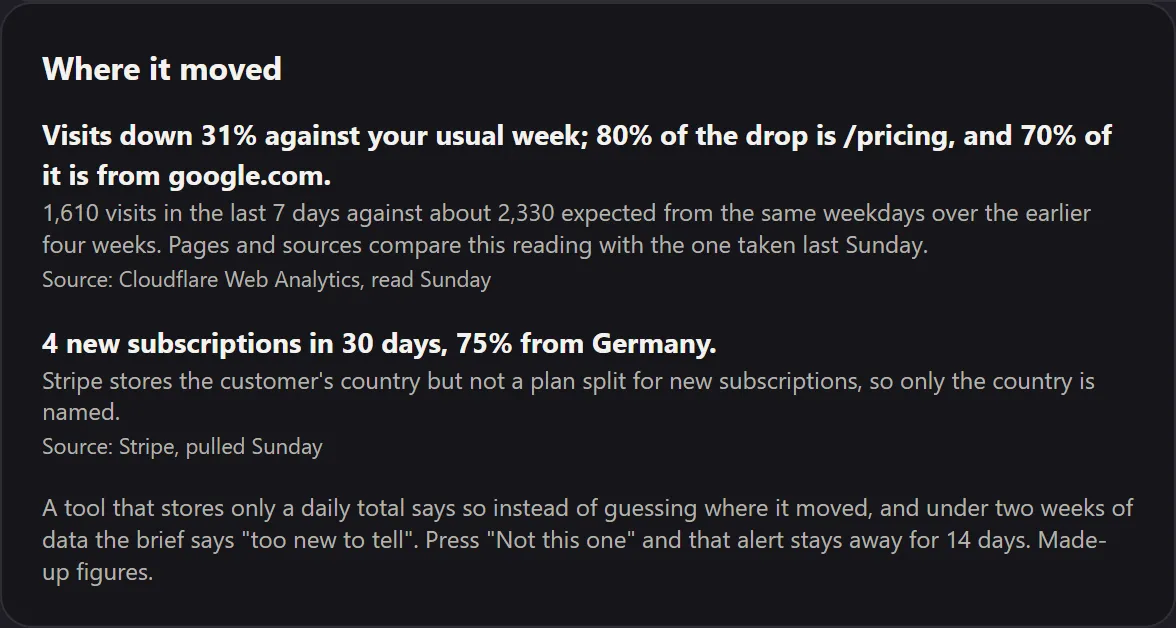
Visits down 31%: which page, which source
Saves you: a week of guessing why traffic dropped
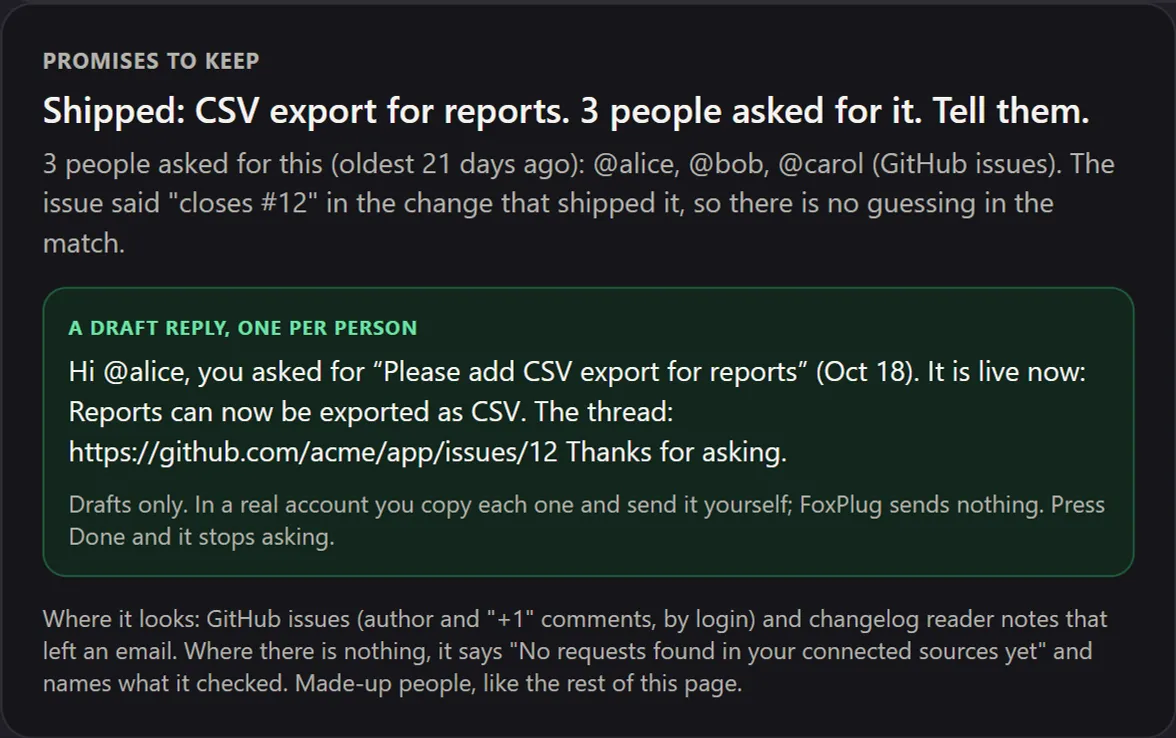
3 people asked for this. It shipped: tell them
Saves you: the follow-ups you forgot to send
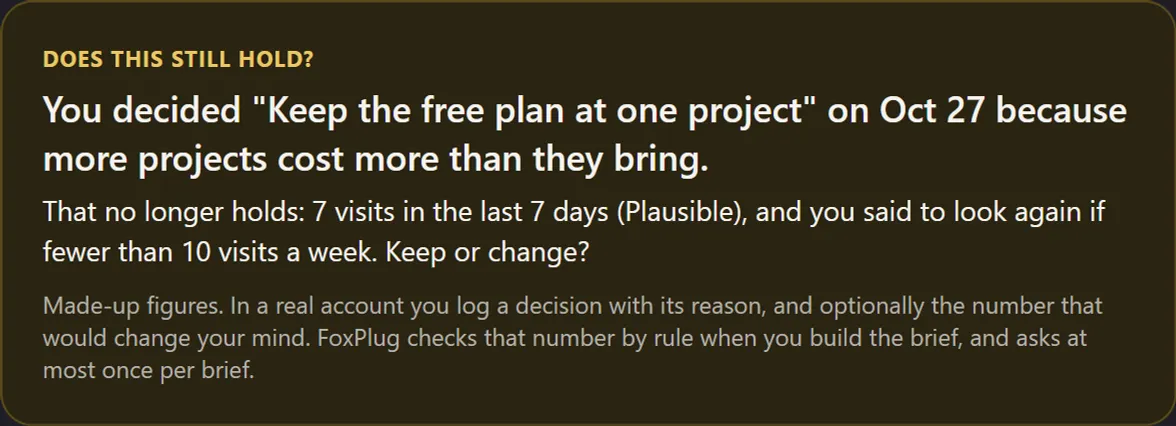
A decision you made no longer holds
Saves you: arguing it again with no new facts
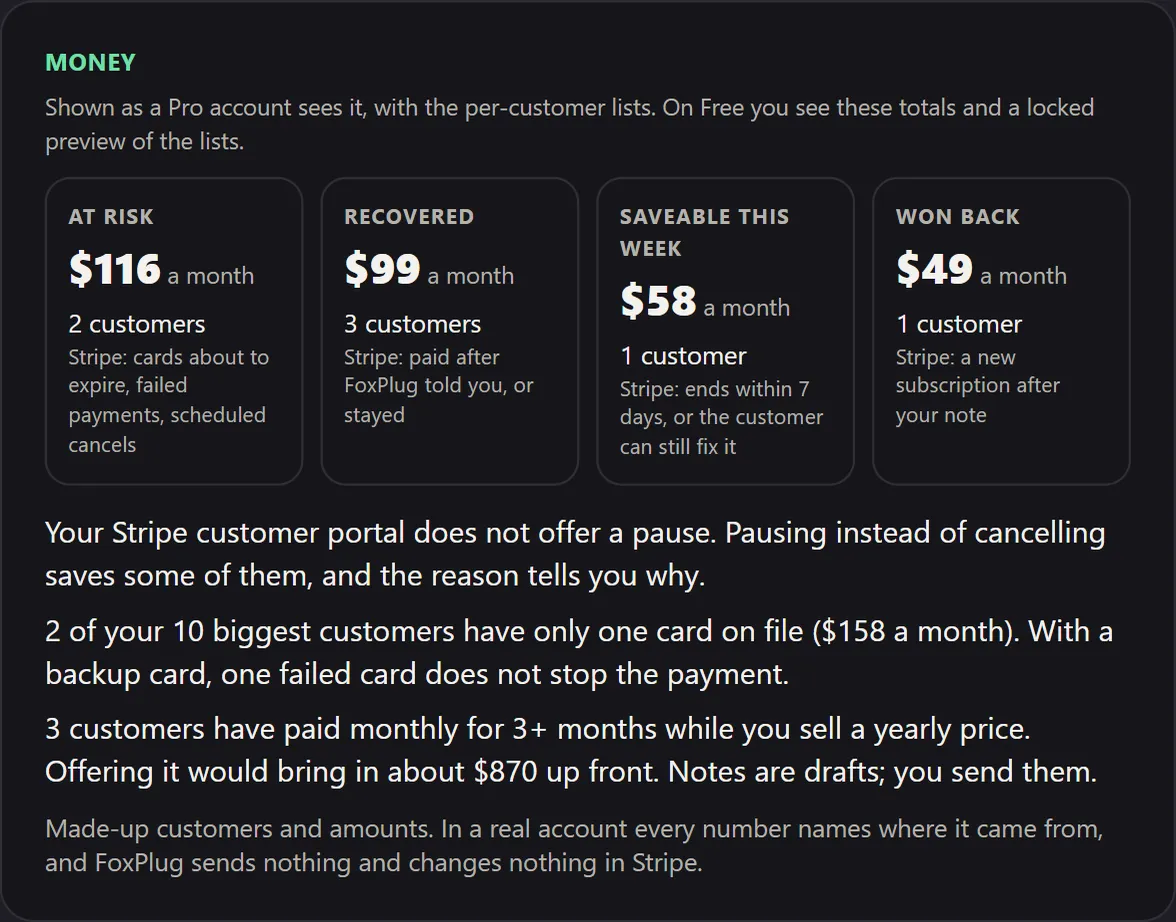
Cards about to expire, payments that failed
Saves you: a surprise cancellation next month
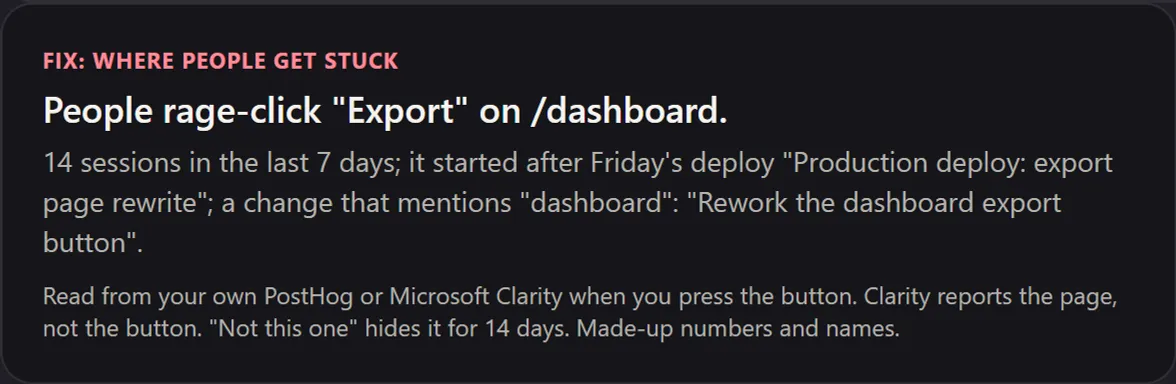
Where people get stuck, and which deploy did it
Saves you: a month of users quietly giving up
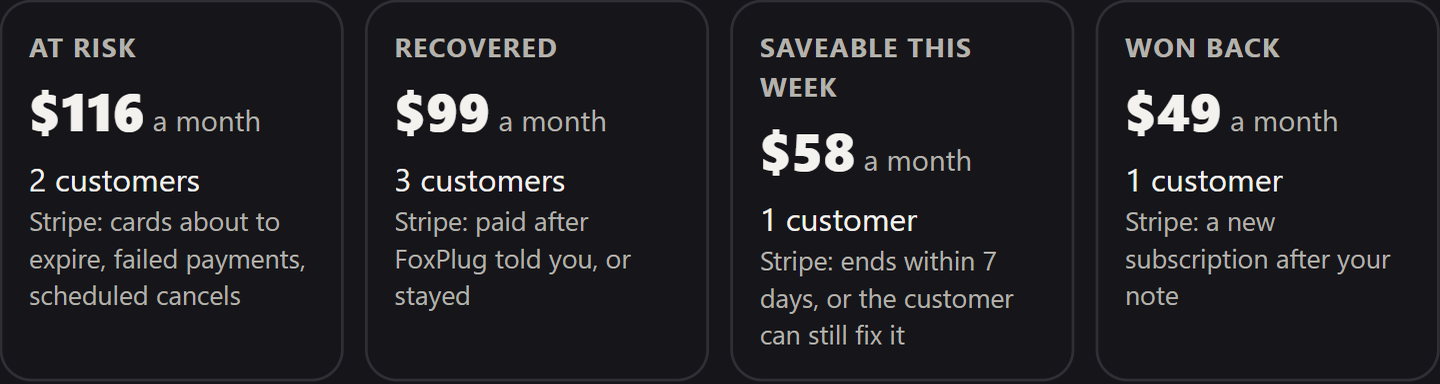
Money it saves you: at risk, recovered, won back
Saves you: the revenue that quietly fails every month
Tools that do only this cost more than all of FoxPlug Pro. See pricing
Examples from the sample startup. See how it works.
Press

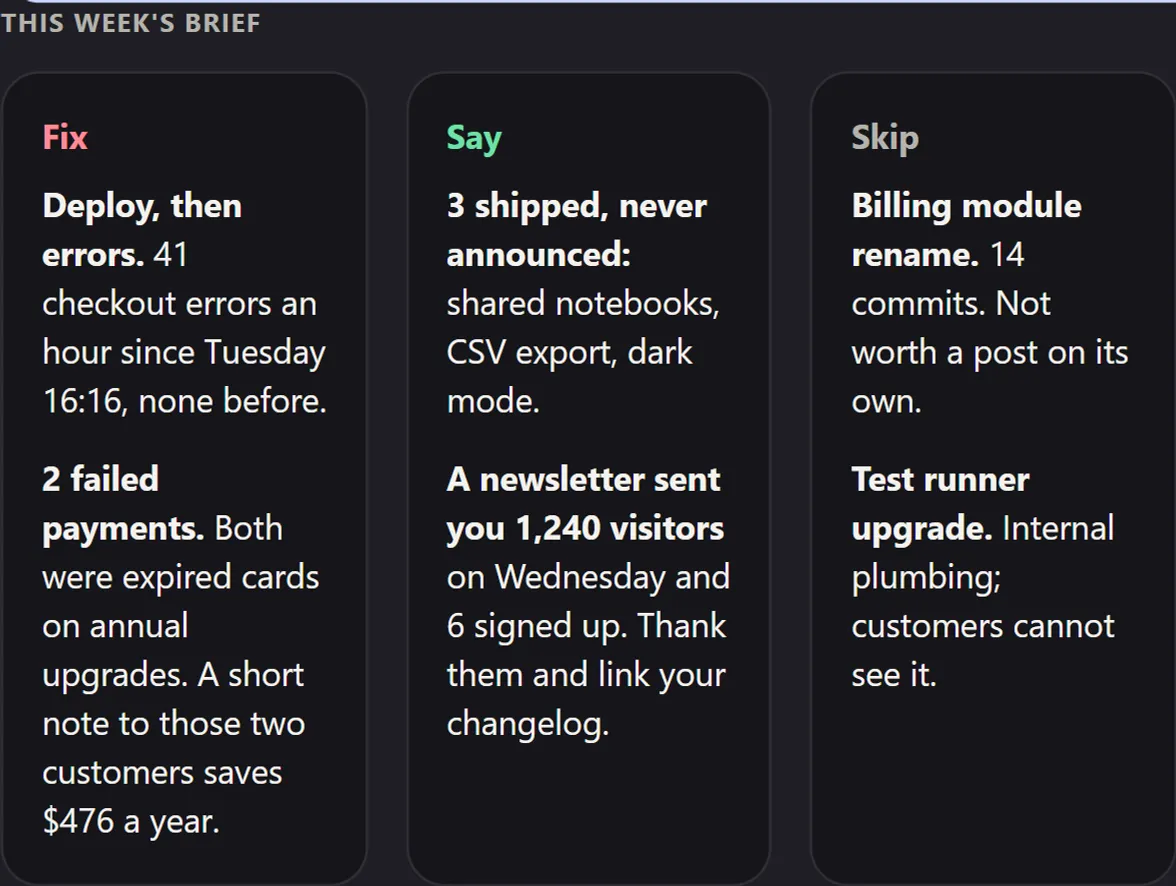
Fix, say, skip

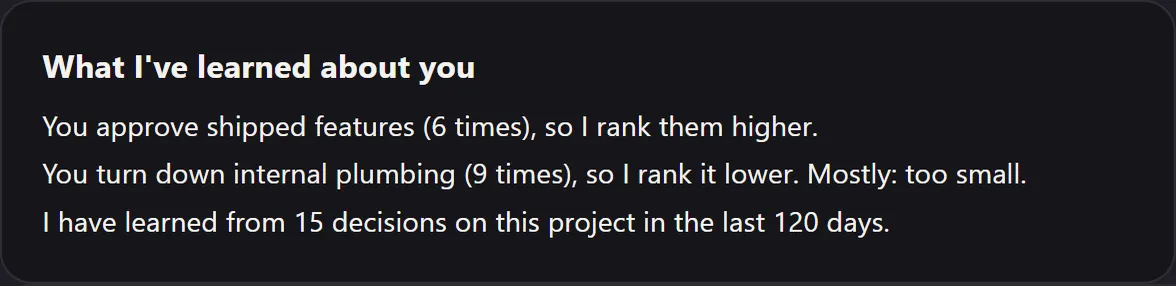
You decide, it learns
Share a notebook with your team. Two clicks.
Shared notebooks are live. 11 commits, one long Tuesday.
Shared notebooks just shipped.
Sample drafts. You press send, never FoxPlug.
HackerNoon’s Proof of Usefulness: 67.19, You’re In Business.
And our own: FoxPlug on FoxPlug, the brief we built for ourselves.


Have your site open and logged in in another tab. When you click Start, your browser will ask which screen to share — choose "Chrome Tab" and pick your site. Then click through the real steps a new user takes to their first win — slowly, pausing a beat on each screen. Each move becomes a scene in your narrated walkthrough. If you don't click through anything, there's nothing to show. Click Stop when you're done.
Click through your site in the tab you shared. Use the floating controls to mark a good moment or stop — you can also stop from your browser's "Stop sharing" bar.
Sending your recording securely. This can take a moment on slower connections.
Free account — your files download the moment you sign in.
or use email & password